> ## Documentation Index
> Fetch the complete documentation index at: https://doc.seerbit.com/llms.txt
> Use this file to discover all available pages before exploring further.
# Go Live
> Take your integration from a working test payment to processing real money.
By this point you should have a working test payment. If not, start with the [Quickstart](/quickstart) — it takes about ten minutes and gets you the test transaction this page assumes.
Going live is three things: getting approved, swapping your keys, and re-pointing your webhooks.
## 1. Submit your business for approval
Live keys only appear once SeerBit has approved your business.
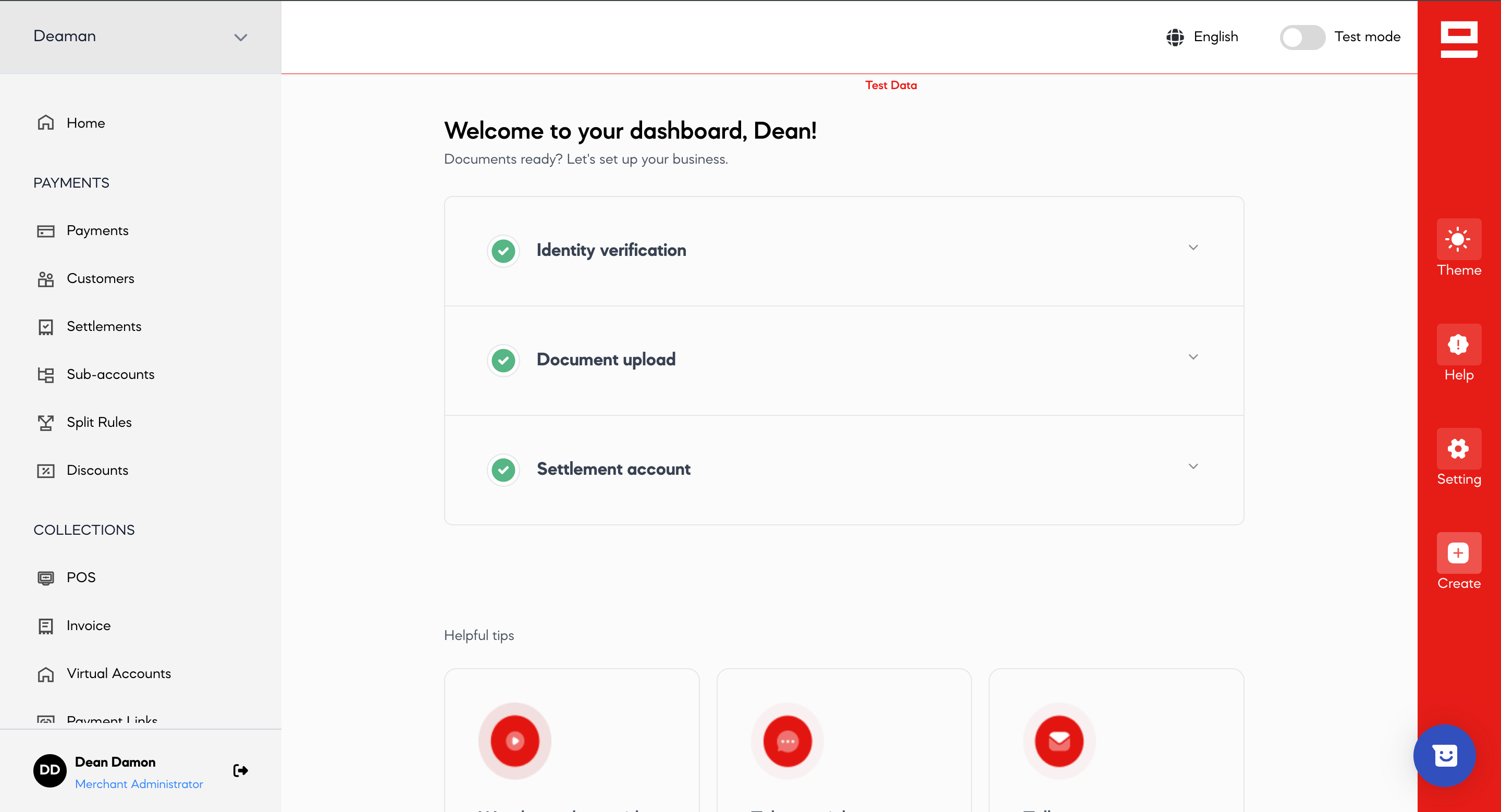
* **Complete onboarding**: upload the required KYC documents in your [dashboard](https://dashboard.seerbit.com/#/auth/login).
* **Wait for approval**: the team reviews your application and notifies you when your live account is activated.
 ## 2. Swap your API keys
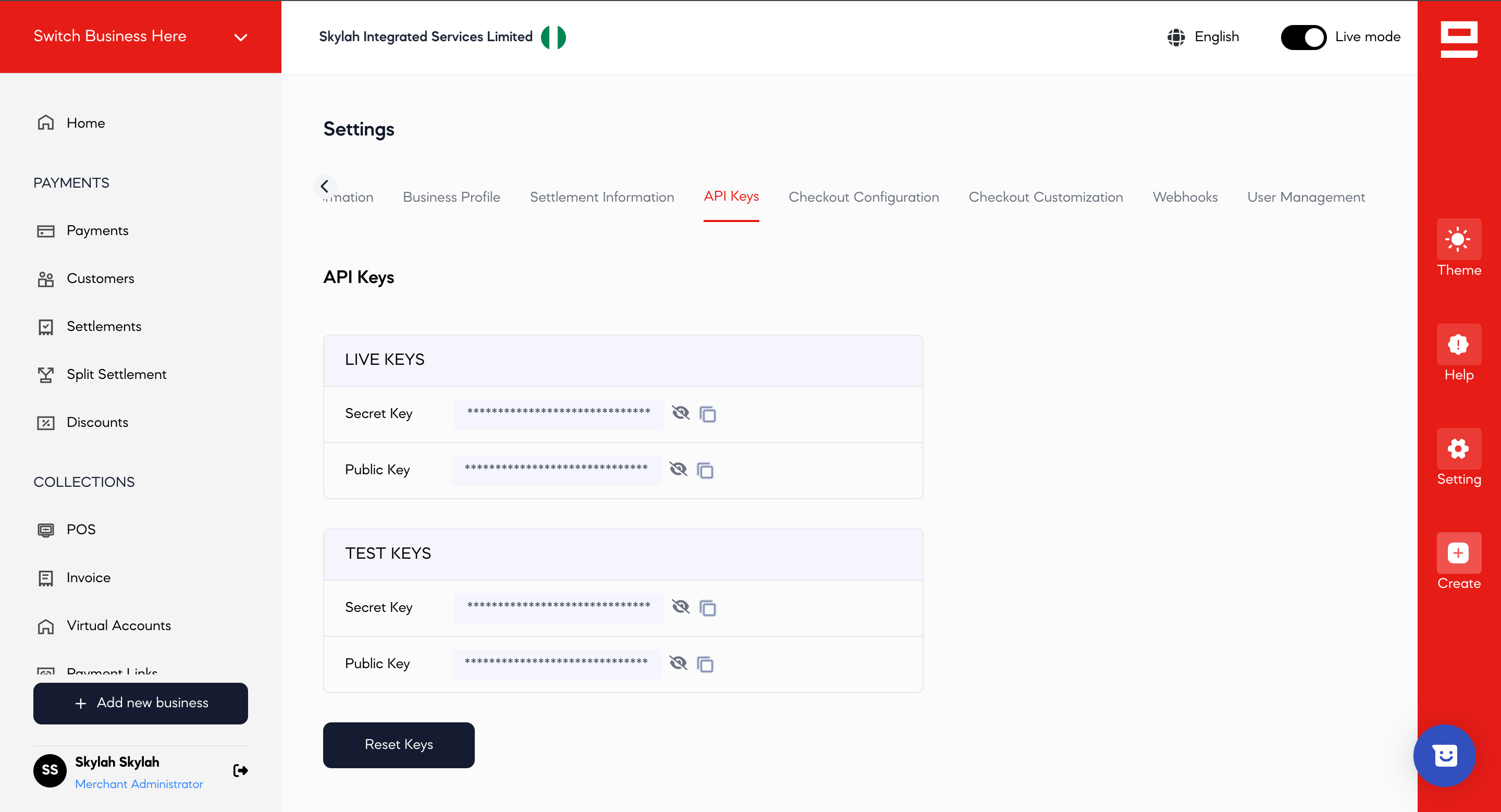
Replace the test keys in your configuration with your live keys, from **Settings > API Keys**. Nothing else changes — the base URL is the same in both modes, so the keys are what switch you over. See [Test and live modes](/test-and-live).
## 2. Swap your API keys
Replace the test keys in your configuration with your live keys, from **Settings > API Keys**. Nothing else changes — the base URL is the same in both modes, so the keys are what switch you over. See [Test and live modes](/test-and-live).
 ## 3. Re-point your webhooks
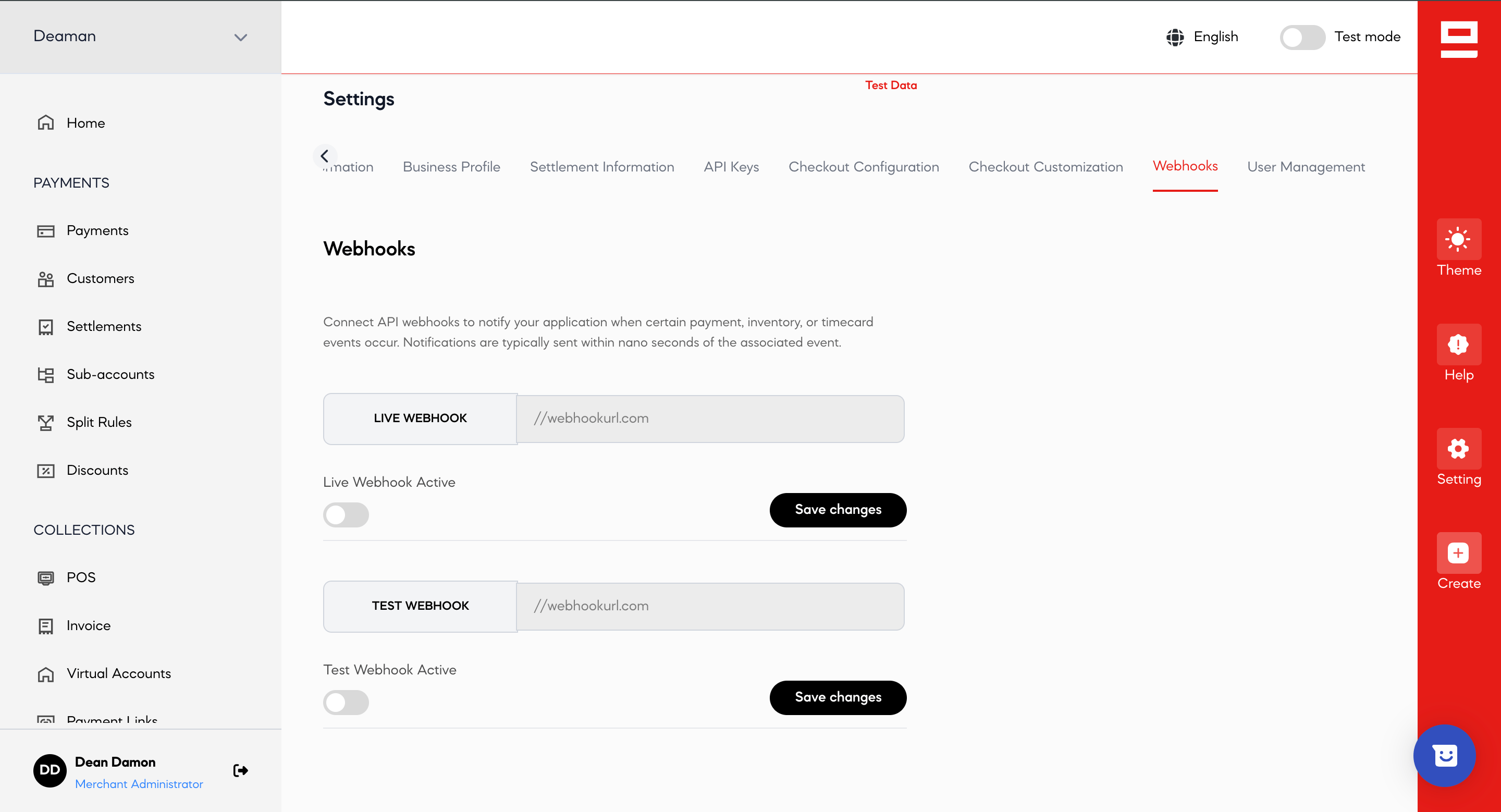
**Webhook subscriptions do not carry over between modes.** Configure your production webhook URL in the live dashboard, or you will stop receiving notifications the moment you switch keys.
## 3. Re-point your webhooks
**Webhook subscriptions do not carry over between modes.** Configure your production webhook URL in the live dashboard, or you will stop receiving notifications the moment you switch keys.
 See [Webhooks](/online-payments/after-payments/webhook-events) for the acknowledgment contract your endpoint must satisfy.
## 4. Run one real transaction
Process a small real payment and confirm it end to end: the charge succeeds, your webhook fires, and [verifying the payment](/online-payments/after-payments/verify-payment) returns what you expect with `mode` reading `live`.
## Before you call it done
* **Verify server-side before fulfilling.** Check the status code, the amount and the currency — never fulfil from a browser redirect alone. See [Verify a payment](/online-payments/after-payments/verify-payment).
* **Handle `PENDING`.** Local payment methods commonly return it, and a pending payment is not a paid one. See [status codes](/development-resources/responses/seerbit-status-code).
* **Make your references unique and idempotent.** A reused `paymentReference` is rejected; a retried timeout should query the original rather than re-charge.
* **Add the [payment methods](/payment-methods/overview)** your customers actually use in each country you sell into.
This documentation is built and hosted on [Mintlify](https://mintlify.com), a developer documentation platform.
See [Webhooks](/online-payments/after-payments/webhook-events) for the acknowledgment contract your endpoint must satisfy.
## 4. Run one real transaction
Process a small real payment and confirm it end to end: the charge succeeds, your webhook fires, and [verifying the payment](/online-payments/after-payments/verify-payment) returns what you expect with `mode` reading `live`.
## Before you call it done
* **Verify server-side before fulfilling.** Check the status code, the amount and the currency — never fulfil from a browser redirect alone. See [Verify a payment](/online-payments/after-payments/verify-payment).
* **Handle `PENDING`.** Local payment methods commonly return it, and a pending payment is not a paid one. See [status codes](/development-resources/responses/seerbit-status-code).
* **Make your references unique and idempotent.** A reused `paymentReference` is rejected; a retried timeout should query the original rather than re-charge.
* **Add the [payment methods](/payment-methods/overview)** your customers actually use in each country you sell into.
This documentation is built and hosted on [Mintlify](https://mintlify.com), a developer documentation platform.